
One of the changes that I made to our homeschool this year was moving from a traditional paper planner to a digital planner for daily lesson planning. I still have a planner binder that I use to store documents for school, clubs, events, etc., but the day to day lessons are organized on Google Classroom.
If you are new to Google Classroom, let me give you a glimpse at how I use it in our homeschool. This is the weekly calendar for my ninth grader that she and I both see when we open the webpage/app:
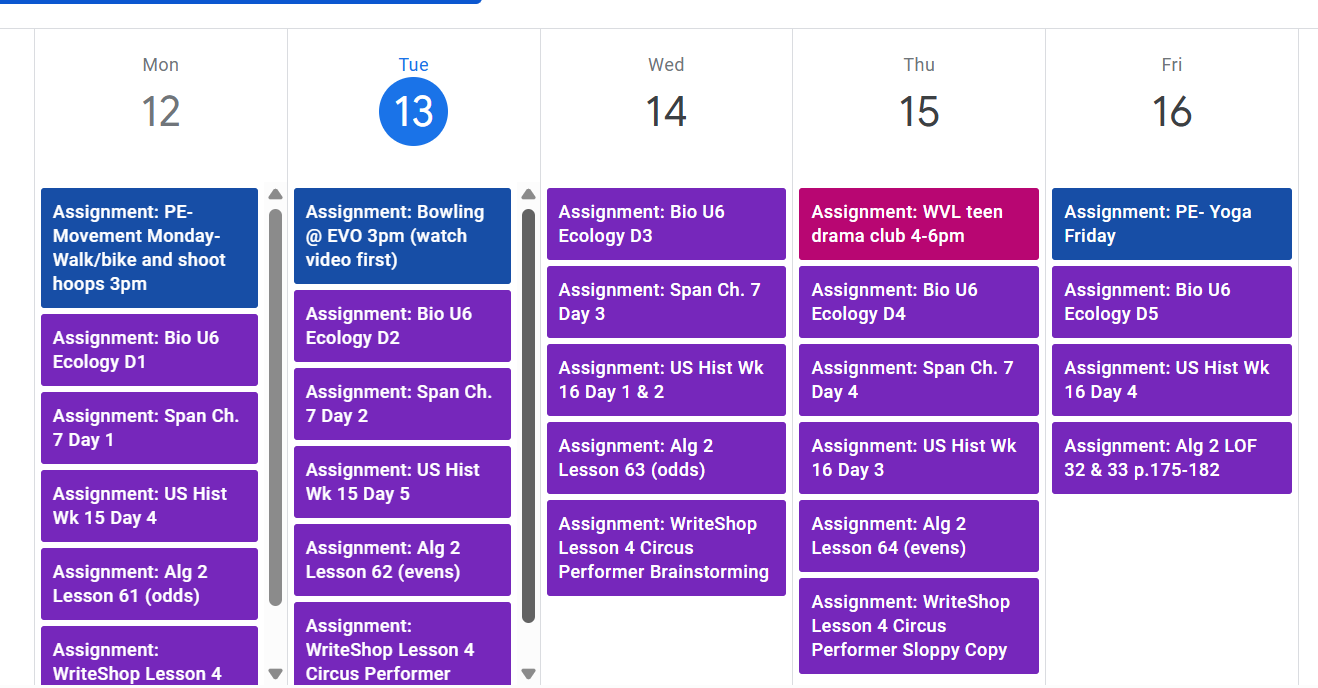
Each day has an assignments for her different subjects. I actually have her set up as one “class.” PE and Theater are set up as separate classes because she takes these with her twelfth grade sister, which is why those assignments are different colors.
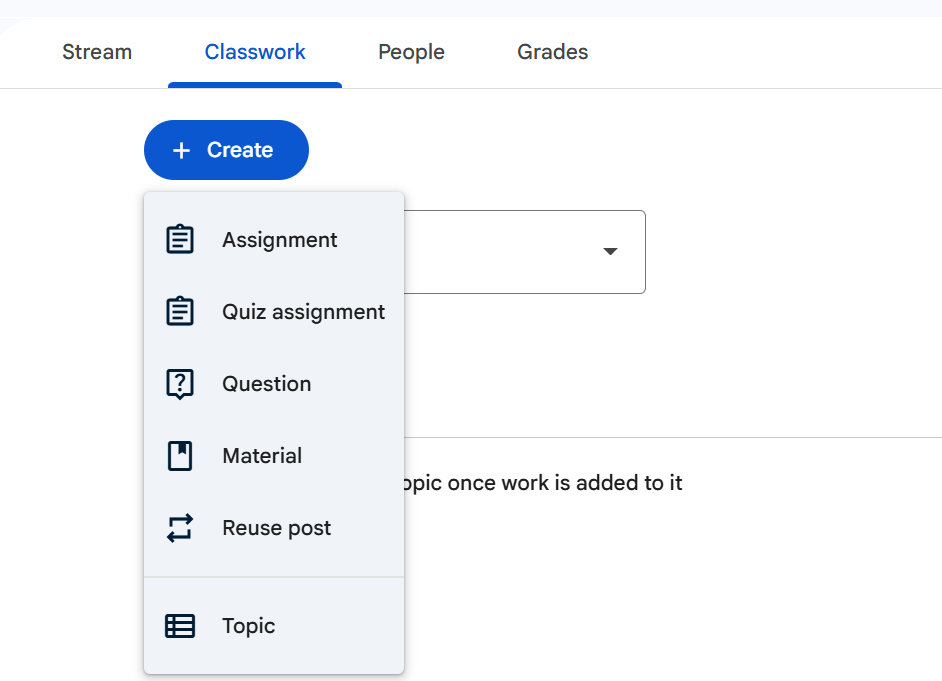
To add an assignment, I click on her “class” and navigate to the Classwork tab. From there I click on the blue button that says “Create”, and scroll to “Assignment”.
This is the screen that pops up for a new assignment:
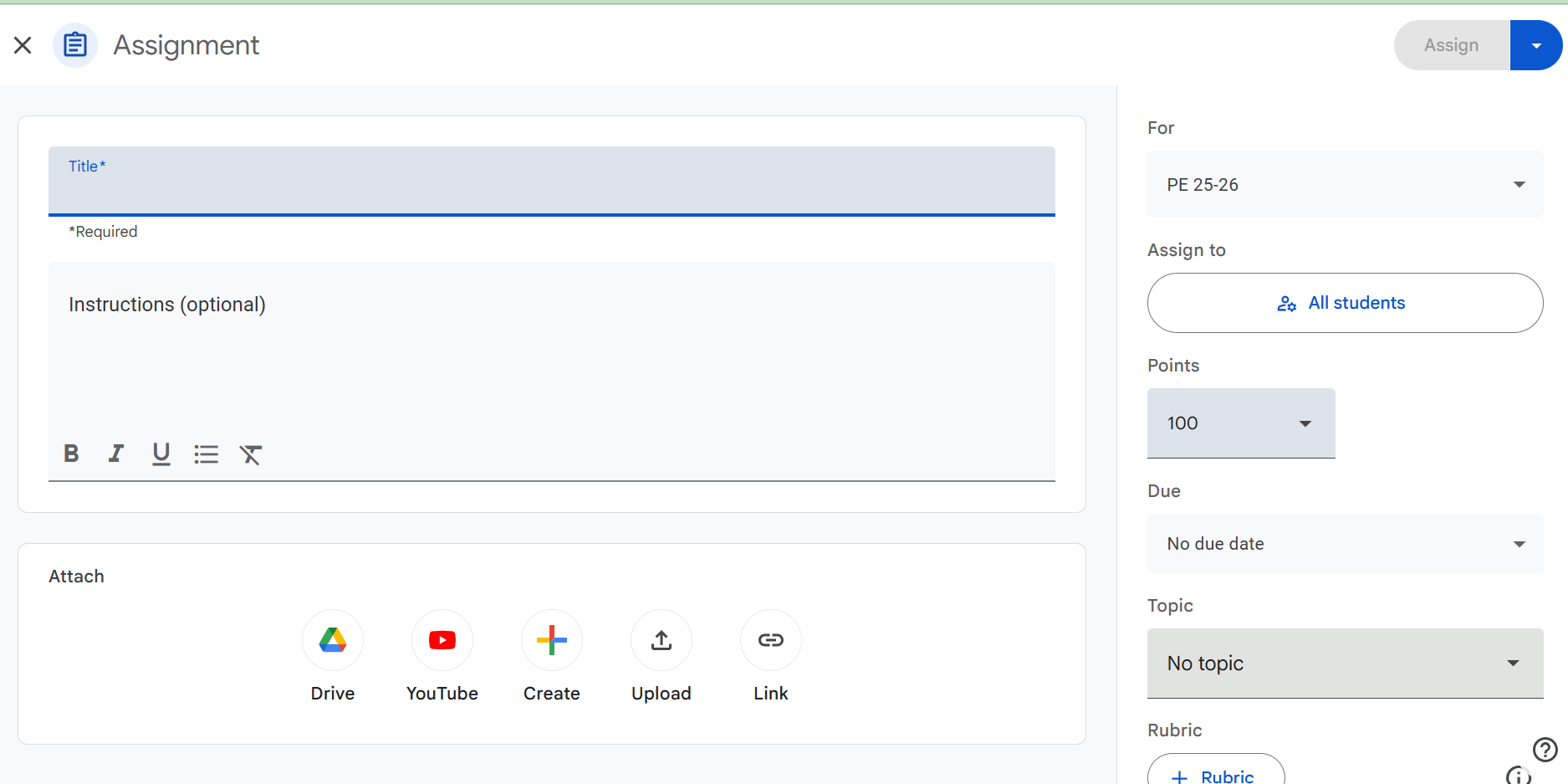
I type in the title, instructions, add links to online resources such as an online textbook, activity, or video. On the right hand side, I add in the due date and select the topic. I use the “Topic” feature to organize her assignments by week, making it easier to scroll through the hundreds of assignments to find one in a particular week.
Here is an example of what today’s biology assignment looks like in Google Classroom:
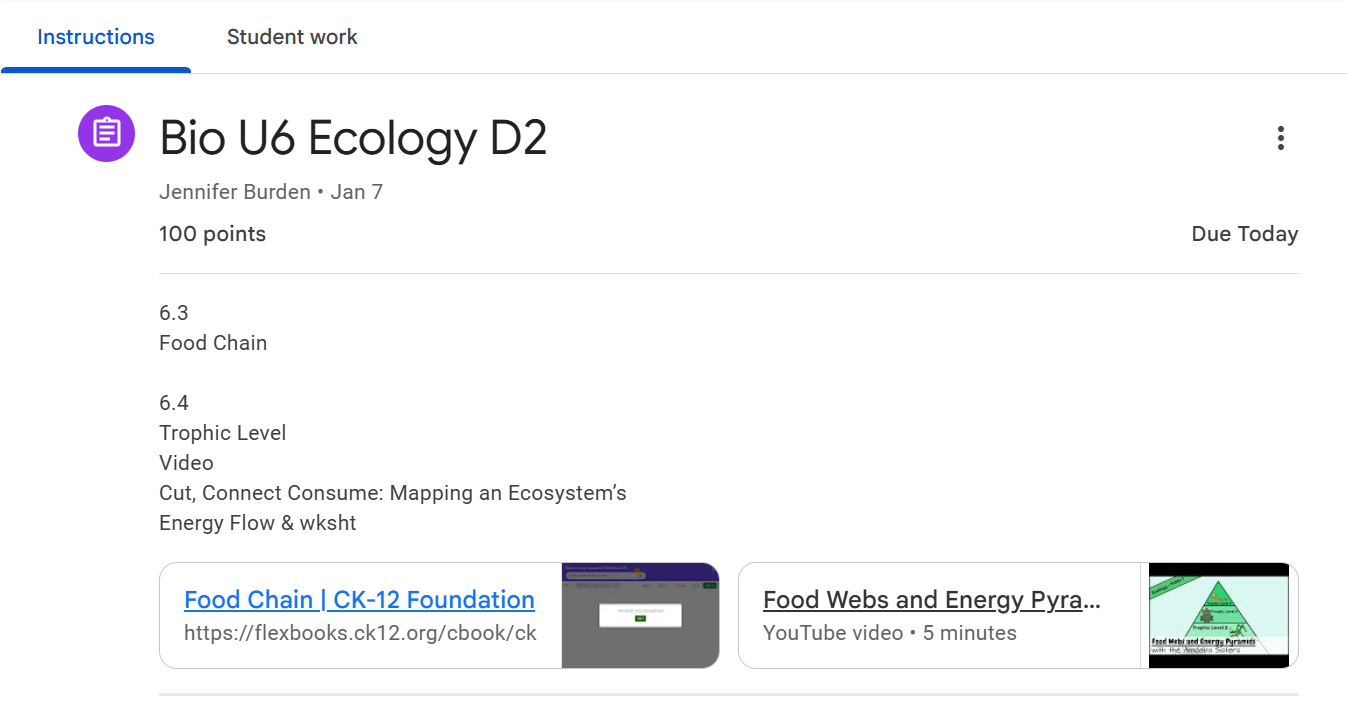
The online textbook is linked and two reading sections are assigned. A video is also linked. There are two activities listed after the video. This is not an independent assignment that she does on her own, this is what we do together in class.
If our schedule is affected by illness, a last minute field trip, etc., I can simply change the due dates to adjust the schedule. It works beautifully.
If you need help setting up Google Classroom for your homeschool here are two resources to help guide you:
Blog post: How to Set up Google Classroom for Homeschool
YouTube video: How Do I Set Up Google Classroom For Homeschooling?
We do not use the features for turning in and grading assignments, however I do keep a gradebook in Google Sheets and have that linked to her Google Classroom class. It is simple to click that link to open the gradebook file and add in grades as we go through the assignments that day.
If you have been curious about moving from a paper planner to digital, I encourage you to explore Google’s free Calendar and Classroom websites/apps. It is nice to have it all connected and available to everyone digitally.


 North Star Homeschool Resources